
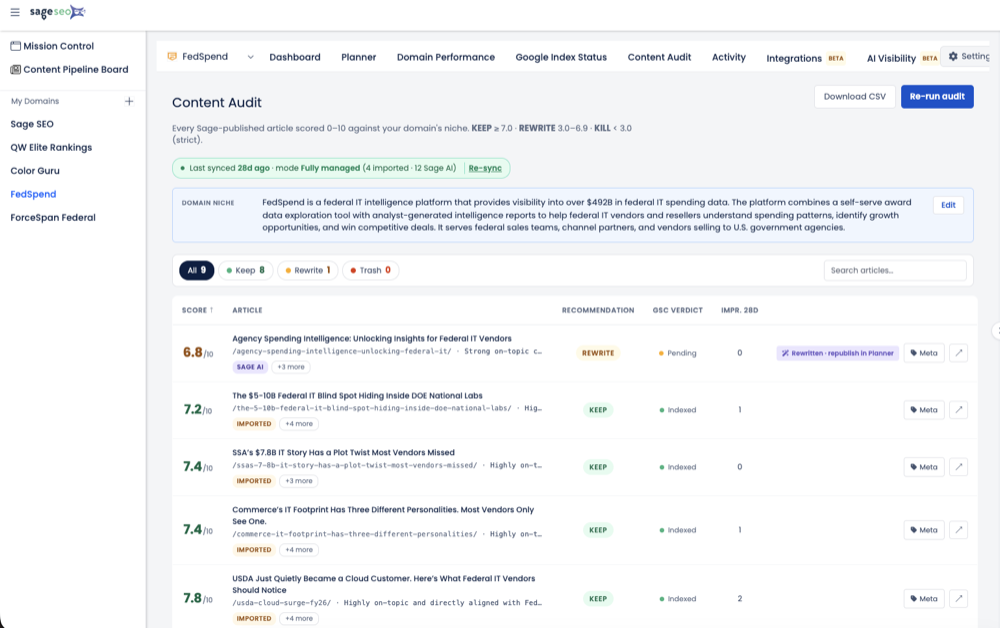

- Crawling and indexing are two separate decisions Google makes independently.
- 'Crawled – not indexed' is a quality verdict, not a scheduling delay.
- Internal links signal which pages Google should prioritize and keep.
- Crawl budget is rarely a problem for sites under 10,000 URLs.
- Sitemaps should only list canonical, indexable, 200-status URLs.
The angriest email I ever got from a client had one line: “Google crawled 4,200 of our pages and only 1,900 are indexed — what are we paying you for?” That gap, crawled-but-not-kept, is the single most misunderstood thing in technical SEO. Most site owners assume “crawled” and “indexed” mean the same thing. They don’t, and that assumption is exactly why their pages never show up in search. Google says it plainly in its own documentation: indexing isn’t guaranteed, and not every page it processes will be indexed. Once you internalize that, you stop trying to drag Googlebot to your door and start giving it a reason to keep what it finds.
Crawled vs. Indexed: Why Google Treats Them as Two Separate Decisions
Crawling is Google discovering and downloading your page; indexing is Google’s separate, quality-gated decision to store and potentially serve it.
I’ve watched this trip up smart marketers for a decade. They see “crawled” in a log file, assume the job is done, and can’t understand the silence in the SERPs. But Google’s own guide describes Search as three stages — crawling, indexing, and serving — and notes that not all pages make it through each stage.
Crawling is discovery. Googlebot fetches the HTML, renders it, runs the JavaScript. Indexing is judgment. Google reads the content, decides whether it’s worth keeping, picks a canonical, and only then files it away.
Here’s the part the getting-started posts skip. Google explicitly states it doesn’t guarantee it will crawl, index, or serve your page, even if that page follows the Search Essentials. A page can be crawled ten times and still sit outside the index forever. So the fix is almost never “get Google to visit.” It’s “give Google a reason to keep it.” If your troubleshooting starts and ends at crawl access, you’re solving the wrong half of the problem.
| Dimension | Crawling | Indexing |
|---|---|---|
| What it is | Discovery + download of the page | Decision to store and serve it |
| Bot behavior | Googlebot fetches and renders | Google analyzes, clusters, canonicalizes |
| Gate | Access (robots.txt, server, links) | Quality, uniqueness, value |
| Common failure | Blocked or undiscovered URL | “Crawled – currently not indexed” |
How Does Google Indexing Actually Work Behind the Scenes?
Google runs a crawl → render → index → serve pipeline, and the indexing step is where content is analyzed, deduplicated, and canonicalized before anything is stored.
Let me walk the pipeline the way I explain it in audits. First, Google discovers URLs through links from known pages and through submitted sitemaps. Then Googlebot crawls and renders — it renders pages with a recent version of Chrome and runs the JavaScript it finds, which matters if your content only appears after a script executes.
What Happens During the Indexing Step Itself
This is where the real gatekeeping lives. Google processes the text and key tags, then determines whether the page is a duplicate of another page or a canonical. The modern indexing infrastructure — successor to the old Caffeine system — lets Google index continuously rather than in big batches, so freshness isn’t your bottleneck. Quality is.
How Canonicalization Decides What Gets Kept
Google clusters pages with similar content, then selects the single most representative URL as the canonical. The others become alternates. I once inherited a SaaS blog where three near-identical “feature comparison” posts kept cannibalizing each other — Google indexed one and quietly folded the rest into the cluster. Nothing was broken. The site had just given Google three versions of one answer and forced it to choose. Consolidate before you ask Google to consolidate for you.
Why Are Your Pages Crawled but Not Indexed?
Pages usually go uncrawled or unindexed for four reasons: thin or duplicate content, blocking directives, weak internal linking, and crawl budget strain on large sites.
When I audit an indexing problem, I run down the same short list before I touch anything fancy. Google names low content quality, robots meta rules that disallow indexing, and site designs that make indexing difficult as common indexing issues. Here’s how that plays out in the real world:
- Thin or duplicate content. Templated pages with one swapped variable read as low-value. Google clusters them and keeps one.
- Blocking directives. A stray noindex tag or an over-broad robots.txt rule. I’ve found a single line in a staging config that noindexed an entire product catalog.
- Orphaned pages. No internal links pointing in means Google has no path to the page and no signal that you value it.
- Crawl budget strain. Only a genuine concern on large sites — think hundreds of thousands of URLs, faceted navigation, endless parameters.
Now the contrarian part, because the internet loves to scare you about crawl budget. If your site has fewer than roughly 10,000 URLs, crawl budget is almost never your problem. I’ve watched teams burn a quarter “optimizing crawl budget” on a 600-page site that was actually being ignored for thin content. You can chase the wrong ghost for months. Diagnose before you optimize.
How Do You Diagnose Indexing Issues in Google Search Console?
Google Search Console’s URL Inspection tool and Page Indexing report tell you exactly why a page is or isn’t indexed — read them before you change anything.
Skip the spreadsheets. Start Sage SEO free.
See how AI content ops transform your agency workflow in minutes.
If you haven’t already, get your domain properly verified in Search Console — without that data you’re guessing. Once you’re in, the diagnosis is a repeatable routine. Here’s the one I run:
- Paste the URL into URL Inspection and read the current status — indexed, excluded, or discovered.
- Open the Page Indexing report and sort by reason, not by URL. Patterns hide in the aggregate.
- Isolate the two statuses that matter most: “Discovered – currently not indexed” and “Crawled – currently not indexed.”
- Cross-check against your sitemap submissions to see what you asked Google to index versus what it kept.
The two statuses tell different stories. “Discovered – currently not indexed” usually means Google knows the URL exists but hasn’t prioritized crawling it — often a signal your site’s importance or internal linking is weak. “Crawled – currently not indexed” is harsher: Google looked and chose not to keep it. That’s a quality verdict, not a scheduling delay. For teams that live in this report, a tool like GSC Momentum surfaces these status shifts over time so you catch a pattern before it swallows a whole content cluster.
How Do You Get Pages Indexed Faster? Data-Backed Tactics
You speed up indexing by strengthening internal links, deepening content, keeping sitemaps clean, and using manual requests only as a supplement — never a crutch.
The uncomfortable truth first. A widely cited Ahrefs study found that the large majority of pages get zero organic search traffic from Google, and a meaningful chunk of the web never gets indexed at all. Indexing speed correlates with the same things ranking does: site authority and content quality. There’s no clean shortcut. But there are real levers.
1. Strengthen Internal Linking to Priority Pages
Internal links are how you tell Google which pages you actually care about. I’ve taken pages from “Discovered – currently not indexed” to indexed inside a week just by linking them from three high-authority hub pages. No new content — just a clearer signal of importance.
2. Improve Depth and Uniqueness to Clear the Quality Bar
If a page reads like a thinner version of ten others, it fails the dedup test. Add original data, a real point of view, structure Google can parse. This ties straight back to the connection between keywords and genuinely useful content — thin pages that target a phrase without answering it are exactly what the quality gate filters out.
3. Keep Your XML Sitemap Clean
Your sitemap should list only canonical, indexable, 200-status URLs. Stuffing it with redirects, noindexed pages, and 404s teaches Google to trust it less. If you’re fuzzy on the mechanics, how a sitemap.xml file actually supports indexing is worth a refresher.
4. Request Indexing — as a Supplement, Not a Strategy
You can ask Google to recrawl a URL through URL Inspection. Do it for a genuinely new or meaningfully updated page. But manually requesting indexing on a thin page is theater — I’ve seen teams hammer the button daily on content Google had already judged and declined. The button changes crawl priority. It does not change Google’s verdict on quality.
When Slow Indexing Is a Symptom, Not the Problem
Persistent indexing delays are usually a downstream symptom of site quality or architecture problems, not an isolated bug to patch.
Here’s the reframe I wish someone had handed me years ago. When a client asks me to “fix indexing,” I’ve learned to widen the lens first. Slow, incomplete indexing is Google telling you something about how it values your site as a whole. Chase it as an isolated technical switch and you’ll keep losing.
I consulted for an agency that spent six weeks resubmitting URLs for a client whose real issue was 800 near-duplicate location pages diluting the entire domain. We deleted or merged the dead weight, tightened the internal link graph, and the indexing rate climbed on its own — no resubmission required. The index was a mirror, not a gate.
So before you file another “Google won’t index my page” ticket, audit the whole library. Which pages earn their place? Which are cannibalizing each other? A structured pass — the kind you’d run when you audit a content library for search readiness — surfaces the pattern faster than any single URL inspection. Indexing problems are usually quality problems wearing a technical costume.
Stop Chasing the Index. Earn It.
After twelve years of audits, here’s my flat opinion: indexing speed is a scoreboard, not a lever. Every hour you spend resubmitting URLs and fretting over crawl budget on a small site is an hour you’re not spending on the thing that actually moves the index — making pages Google has a reason to keep. The teams that win treat “Crawled – currently not indexed” as feedback, not an insult. Fix the content, tighten the architecture, prove the page’s value with internal links, and the index tends to sort itself out. Google told us the rule in plain language: it doesn’t guarantee it’ll keep your page. So stop demanding that it does, and start earning it.