
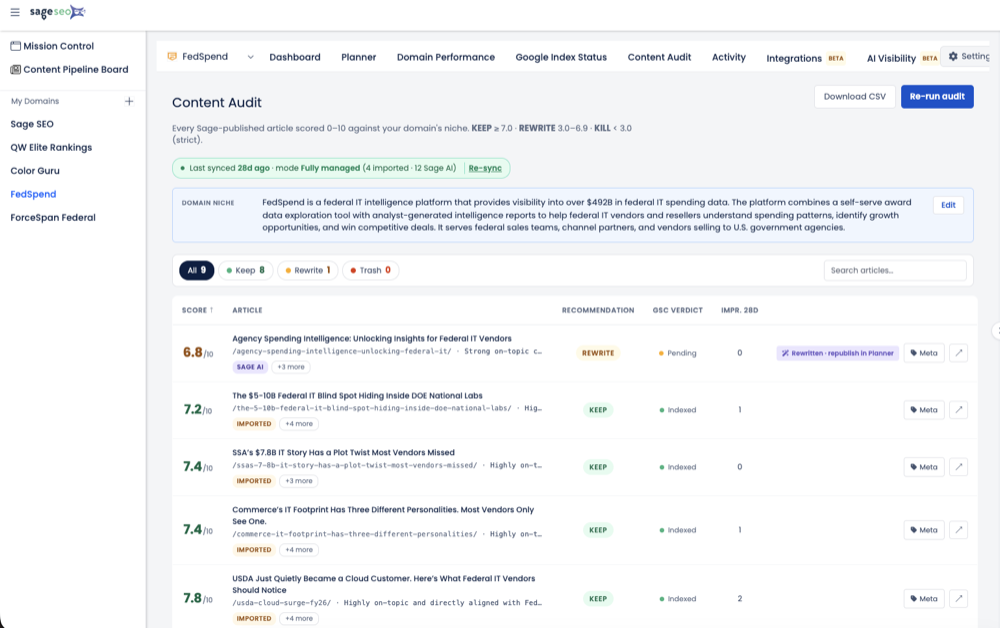

- Page-two rankings signal a targeting problem, not an authority gap.
- Always capture a full before-snapshot before editing anything.
- Audit competitors for intent match, not word count.
- Rewrite H1 and H2s first; body copy follows the new structure.
- Expect gradual ranking movement over two to six weeks.
Last spring I found a B2B SaaS client’s landing page parked at position 14 for five straight months. Good copy. Clean design. A keyword with real commercial intent. And it earned almost nothing, because the top of page two collects a sliver of the clicks a page-one spot gets. Everyone on the call assumed we needed backlinks or a bigger domain. We didn’t. The page was quietly answering a slightly different question than the one searchers were typing. I re-aimed it in an afternoon, hit republish, and watched it climb over the next few weeks. Here’s the exact sequence — the one I’ve since run on dozens of stuck pages.
The Page That Wouldn’t Move
A page stuck on page two is almost never a content-volume problem or an authority problem — it’s a targeting problem, and targeting is a same-day fix.
Here’s the mental model I bring to every one of these. When Google puts your page at position 14, it has already crawled it, indexed it, and judged it relevant enough to compete. You’ve cleared the hard part. The gap between position 14 and position 6 is far smaller than the gap between “not indexed” and “on page two at all.”
So before you touch anything, answer one question: is this a content problem, a technical problem, or a targeting problem? I’ve wasted whole weeks adding word count to pages that didn’t need more words — they needed to point at a different query. Diagnose first. Rewrite second.
Step 1 — How Do You Pull the Page and Set a Baseline?
You capture a full “before” snapshot — rank, copy, headers, and meta — so you can actually prove whether your edit worked instead of guessing.
The single most common mistake I see is editing a page with no record of what it looked like beforehand. Then the ranking moves, nobody knows which change caused it, and the “learning” is worthless. Don’t do that to yourself.
Before I change a single word, I gather five things and paste them into a doc:
- Current average position for the target query, straight from Search Console’s Performance report.
- The exact URL Google is ranking — sometimes it’s not the page you think it is.
- The current H1 and every H2, copied as-is.
- The title tag and meta description Google is actually displaying.
- Impressions and clicks over the last 90 days, so I have a movement baseline.
I pull the query-level data with a tool built to surface page-two keywords fast; Sage’s GSC Momentum view for spotting near-miss rankings is where I start, because it isolates the pages sitting in that 11–20 band that are one edit away from real traffic. If you want the deeper mechanics of how crawling and indexing feed that data, this breakdown of how Google indexing works is worth ten minutes.
Step 2 — How Do You Find the Real Gaps Against Ranking Competitors?
You compare your page against the current top five for structure and intent match — not word count — and identify the specific subtopics and query angle they cover that you don’t.
Open an incognito window and search your target keyword. Look at who sits in positions one through five. Then read them the way Google reads them: what job is each page doing for the searcher?
This is where most “fix your page” advice goes wrong. It tells you to count words and match the longest article. I’ve watched that fail, and you’ll hit the same wall if your audit treats length as the lever. A 3,000-word guide loses to a 900-word comparison page every time the searcher wanted a comparison, not a lecture.
Separate real gaps from surface differences
What you’re hunting for is the intent mismatch. On that stuck SaaS page, the top five results were all side-by-side comparison pages. Ours was an educational “what is” explainer. Same keyword, different job. As Marie Ryan puts it in her field notes on page-two pages, the subject is relevant but the page is solving the wrong version of the problem — and no amount of extra paragraphs fixes that.
Run through this quick diagnostic against each top competitor:
- Query match: Does their page format (comparison, how-to, template, listicle) match the search intent better than yours?
- Header structure: What subtopics do their H2s cover that yours skips entirely?
- Entities and specifics: Which named tools, numbers, or concepts appear across all of them but not on your page?
- Answer placement: How fast do they answer the core question — first paragraph, or buried under brand storytelling?
The gaps that repeat across multiple competitors are the ones that matter. Structured on-page comparison is exactly the kind of work Sage’s AI-search content audit library is built to accelerate, because it buckets your existing pages and flags the missing subtopics instead of making you eyeball ten tabs. If you want to sharpen how you group the query variants themselves, this guide to using AI for keyword research and intent clustering pairs well with this step.
Step 3 — Why Rewrite the Headers First and the Body Second?
Headers are the fastest topical-alignment lever you have, because your H1 and H2s tell both readers and search engines what question the page answers before a word of body copy is read.
When I re-aim a page, I rewrite headers before I touch a single paragraph. It forces the decision. If I can’t write an H1 that names the exact job the searcher wants done, the body was never going to save it.
Rewrite the H1 and H2s to close the gap
On the SaaS page, the H1 went from a vague “Understanding [Category] Software” to a direct comparison framing that matched the intent I’d found in Step 2. Then I rebuilt the H2s so each one answered a subtopic the ranking pages covered and mine had ignored — pricing, migration, and a head-to-head table.
Your title tag matters here too. Rewrite it for the SERP you actually have, not the clever one in your head. If the query implies a comparison, say “vs.” If it implies a checklist, name the checklist. The same discipline applies to the snippet Google shows — and yes, meta descriptions still earn the click even when they don’t directly move rankings.
Skip the spreadsheets. Start Sage SEO free.
See how AI content ops transform your agency workflow in minutes.
Then fix the body copy
Now the body. Three moves, in order:
- Fill the missing subtopics your header rewrite just promised — pricing, objections, use cases, whatever the competitors covered.
- Tighten the intent match in the first 200 words. Answer the query directly and early; front-loaded answers are what both featured snippets and AI engines extract.
- Cut the filler. Brand storytelling and throat-clearing bury the answer. Delete it.
Notice what I did not do: I didn’t add a thousand words for the sake of it. I added the right words and removed the wrong ones. Net word count barely changed.
Step 4 — How Do You Republish and Prompt a Re-crawl?
You publish the changes live, submit the URL through Search Console’s URL Inspection tool, and update your sitemap’s lastmod date so Google is nudged to re-evaluate sooner.
Once the page is live, don’t just wait. Open the URL Inspection tool in Google Search Console and click “Request Indexing.” It doesn’t guarantee instant results, but it puts your update in the queue.
Set your expectations honestly. Google’s own Search Central documentation says crawling can take anywhere from a few days to a few weeks, and re-crawling is a separate step from re-ranking. The edit is a same-day action. The payoff is not.
What Happened Over the Following Weeks
Ranking movement after an intent-focused edit tends to arrive gradually over two to six weeks, in wobbles rather than a clean jump, as Google re-crawls, re-evaluates, and re-tests the page.
On the SaaS page, nothing happened for about ten days. Then the average position started drifting — 14, then 11, then a few days back at 13, then down into the top of page one. That sawtooth is normal. Average position shifts daily as the query mix, devices, and competitors all move around it.
Resist the urge to re-edit during this window. I’ve panicked and rewritten a page on day four more than once, only to reset the clock and confuse my own read on whether the first change worked. Give it room.
Watch leading indicators, not just position
Position is a lagging signal. While you wait for it to settle, watch the things that move first:
- Impressions for the target query — rising impressions mean Google is testing you for more searches.
- New query variations the page starts appearing for — a sign your intent match widened.
- Click-through rate at the current position — your title rewrite either earned more clicks or it didn’t.
Results vary, and I won’t pretend otherwise. Some pages climb into the top five, some settle at position eight, and a few don’t move because the real problem was never content. The value is narrowing the gap Google can measure — not a guaranteed number-one spot. For more on reading these signals in near-real time, this piece on real-time SEO optimization with AI covers the monitoring side.
Why This Works (and When It Doesn’t)
This fix works because search engines reward pages that clearly and completely match query intent — but it only works when the problem is relevance, not authority, links, or technical health.
The logic is simple. A page at position 14 has already proven it’s in the running. What’s holding it back, most of the time, is that it answers a near-neighbor of the real query. Close the intent gap and you hand Google a clearer reason to rank you. That’s a content-and-relevance fix, and it’s the fastest lever a small team can pull.
When re-aiming won’t save the page
Be honest about the ceiling. This approach does nothing for:
| Problem type | Symptom | Will an afternoon rewrite fix it? |
|---|---|---|
| Intent / relevance gap | Page ranks 11–20, right format missing | Yes — this is the sweet spot |
| Authority gap | Every top result has far more links to the exact URL | No — needs link building |
| Technical issue | Slow load, mobile errors, canonical conflicts | No — fix the technical root first |
| Cannibalization | Two of your pages fight for one query | Partly — consolidate, don’t just rewrite |
If a competitor has 40 referring domains to that specific URL and you have two, no header rewrite closes that. Diagnose the category before you spend the afternoon.
Run This on One Page This Afternoon
Pick a single page stuck on page two right now and run the five-step sequence in one sitting instead of waiting for a full-site audit.
You don’t need a quarter-long project. You need one page and a free afternoon. Here’s the whole loop, compressed:
- Pull it and baseline it — rank, URL, headers, meta, 90-day impressions.
- Gap-check the top five — match intent and format, not word count.
- Rewrite headers first — then fill subtopics and cut filler.
- Republish and request indexing — update the lastmod date.
- Watch leading indicators for two to six weeks — impressions and new queries before position.
Do it once and it takes an afternoon. Do it ten times and it becomes the most reliable traffic lever you own.
Stop Auditing Everything. Fix One Page.
The instinct when rankings stall is to launch a giant site-wide audit and disappear for a month. I’ve done it, and it’s mostly procrastination dressed up as strategy. The pages that pay you back fastest are the ones already sitting at position 14, one intent-shaped edit away from real traffic. Open Search Console, find that page, and re-aim it before lunch. Momentum beats a perfect plan you never ship.